



Carregosa Authenticator
Proteção reforçada para o seu acesso bancário
A nova aplicação de autenticação do Banco Carregosa que reforça a segurança dos seus acessos e operações online. Simples, rápida e segura — tudo o que precisa para proteger a sua conta.


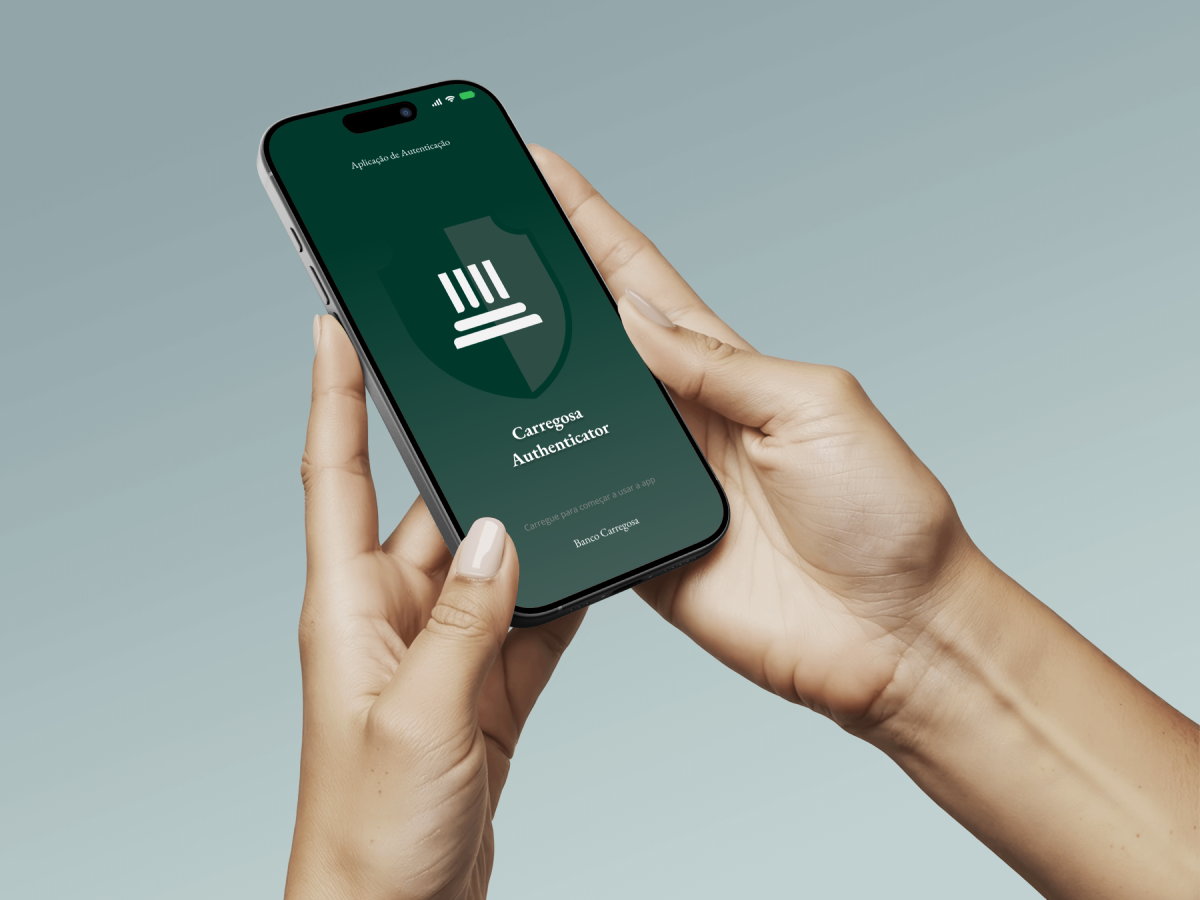

Geração de códigos de acesso únicos (OTP)
Fator de autenticação principal, que reforça e susbtitui complementarmente aos anteriores (ex.: SMS/token), através de uma aplicação moderna e segura.

Notificações em tempo real
Envio de notificações para aprovação em tempo real com informações sobre os movimentos e atividades da conta.

Conformidade com as normas europeias PSD2
Conformidade com as normas europeias de segurança digital (nomeadamente a Diretiva PSD2).

Proteção contínua e experiência de utilização simples
Proteção reforçada para o seu acesso bancário ao homebanking do Banco Carregosa.
*A senha de uso único (One-Time Password ou simplesmente OTP) é um sequência curta de caracteres alfanuméricos enviada a um usuário por meio de uma aplicação, número de telefone ou endereço de e-mail como uma senha que só é válida para uma sessão de login ou durante um intervalo de tempo.
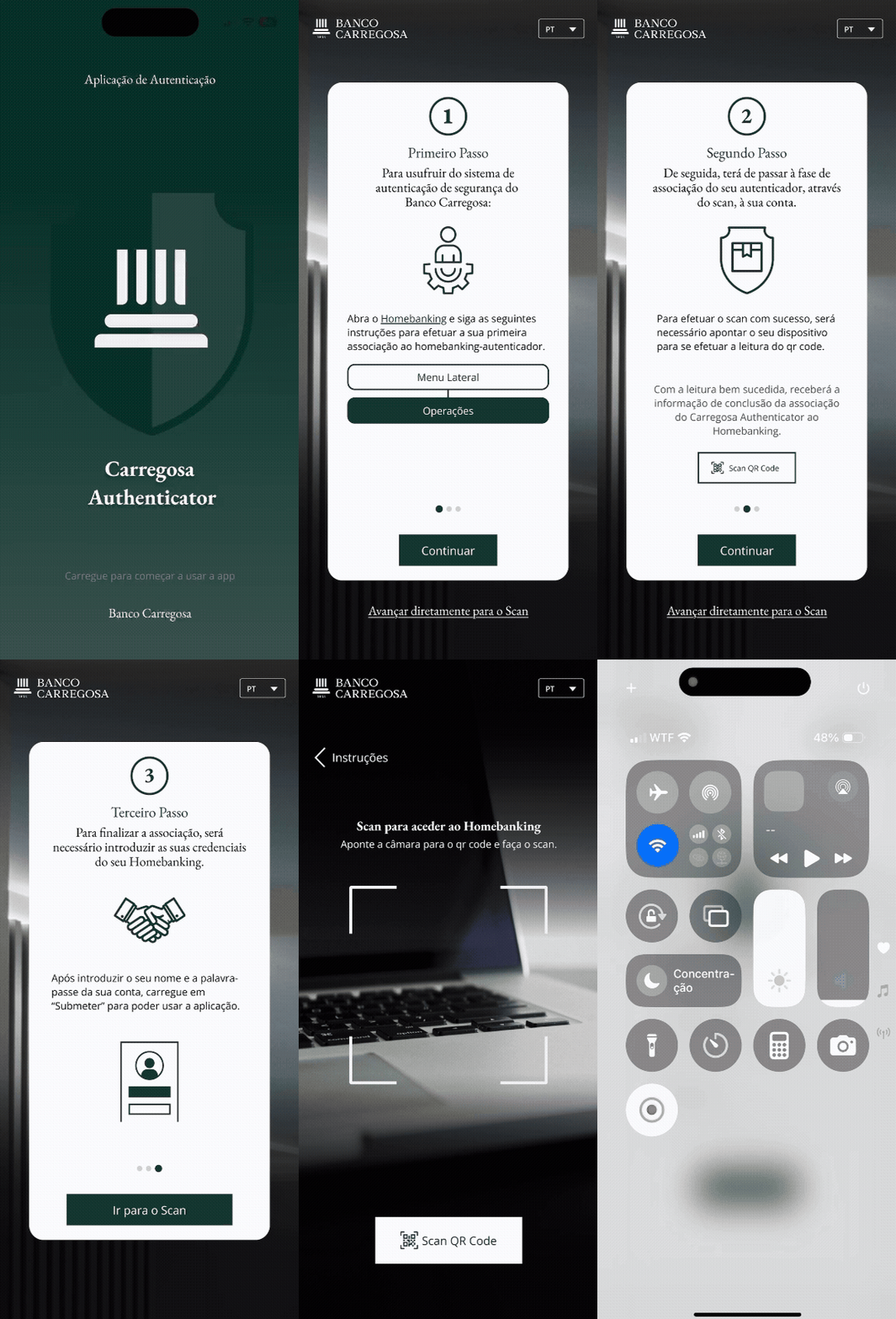
Como começar a usar
Instalar a App
Faça o download gratuito na App Store ou na Google Play.Aderir através do Homebanking
Aceda a Operações > Adesões > Carregosa Authenticator.Ler o QR Code
Utilize o leitor integrado da app para associar o seu dispositivo.Pronto!
A app ficará associada à sua conta e pronta a validar as suas operações
Segurança em ação. Simples, rápida e sempre consigo.
Com a App Carregosa Authenticator, o controlo da sua conta está literalmente nas suas mãos.
Valide as suas operações em segundos, receba alertas instantâneos e aceda ao Homebanking
com total confiança — tudo a partir da mesma aplicação.
Linha de Apoio ao Cliente
Horário: segunda a sexta-feira, das 09h até às 19h.
Custo de chamada para a rede fixa nacional.
Perguntas Frequentes (FAQ)
Como instalar a aplicação?
A aplicação Carregosa Authenticator está disponível para download gratuito na App Store (iOS) e na Google Play (Android).
Como associar a minha conta do Homebanking à aplicação Carregosa Authenticator?
1. Aceda ao Homebanking através da página Web.
2. No menu lateral, selecione “Operações” > “Adesões” > “Carregosa Authenticator”.
3. Com a aplicação já instalada no seu telemóvel, selecione o botão de entrada.
4. Será aberto automaticamente o leitor de QR Code — utilize-o para ler o código apresentado no Homebanking.
Após a leitura, a aplicação ficará automaticamente associada à sua conta e definida como fator principal de autenticação.
Para que serve a aplicação Carregosa Authenticator?
A aplicação Carregosa Authenticator permite-lhe:
· Validar diretamente na aplicação as suas operações bancárias;
· Consultar códigos OTP (One-Time Password) para autenticação no Homebanking ou validação de operações.
Mudei de telemóvel. Como posso associar o novo dispositivo?
1. Aceda ao Homebanking através da página Web.
2. No menu lateral, selecione “Operações” > “Adesões” > “Carregosa Authenticator”.
3. Clique em “Substituir”.
4. Será gerado um novo QR Code — leia-o com o novo dispositivo.
Após este processo, o dispositivo anterior deixa de estar associado à sua conta.
Como posso deixar de utilizar a aplicação como segundo fator de autenticação?
A desassociação da aplicação Carregosa Authenticator pode ser feita no Homebanking ou na própria aplicação.
Desassociação através do Homebanking:
- Aceda ao Homebanking através da página Web.
- No menu lateral, selecione “Operações” > “Adesões” > “Carregosa Authenticator”.
- Clique em "Remover Dispositivo".
- Receberá um email com um link de confirmação.
- Aceda ao link e escolha se pretende confirmar ou cancelar a desassociação.
Após confirmar, a aplicação deixará de estar associada à sua conta e será resposta a configuração de autenticação inicial.
Desassociação através da aplicação Carregosa Authenticator:
- Abra a aplicação e faça login.
- Aceda a Definições.
- Selecione “ID Utilizador”> “Remover associação”.
- Confirme a ação quando solicitado.
Depois de confirmada, a associação é removida e é reposta a configuração de autenticação inicial.
Posso utilizar a aplicação em mais de um dispositivo ao mesmo tempo?
Não. Para garantir a sua segurança, a aplicação só pode estar associada a um único dispositivo.
O que fazer se não receber códigos OTP ou se a aplicação não gerar códigos?
Caso a aplicação não disponibilize o código OTP ou o mesmo não seja recebido por SMS, poderá solicitar o seu envio por email. No momento de autenticação ou de validação da operação, na janela destinada à inserção do código OTP, selecione a seguinte opção para receber o código por email: “Caso pretenda receber o Código de Validação no ***@***.com, por favor clique aqui.”
O que fazer em caso de perda ou furto do telemóvel?
Em caso de perda ou furto do seu telemóvel, poderá desassociá-lo através do Homebanking:
1. Aceda ao Homebanking pela página Web.
2. No menu lateral, selecione “Operações” > “Adesões” > “Carregosa Authenticator”.
3. Clique em “Cancelar” e, em seguida, em “Confirmar Desassociação”.
Como verificar qual dispositivo está atualmente associado à minha conta?
1. Aceda ao Homebanking pela página Web.
2. No menu lateral, selecione “Operações” > “Adesões” > “Carregosa Authenticator”.
Nesta página, poderá consultar qual o dispositivo atualmente associado e a data de adesão.